Research Protocol
Quantifying the Green Color of Dried and Ground Tea Leaves
Authors: Jessica Weaver and Carol Miles
Affiliation: Washington State University Northwestern Washington Research and Extension Center
September 2026
Introduction
Green tea is well known for the bright green color of the leaves, and the color of ground leaves can be a sign of high-quality tea. This guide illustrates how to take consistent images across different samples of dried tea leaf grounds and how to use ImageJ to quantify the green color.
Supplies
- 2 lights – for keeping the lighting consistent between samples, e.g.:
- White background – we used a white cutting board to provide contrast
- Color grade scale – to provide a control between photos, e.g.:
- Circular frame – to contain the whole leaves and keep the area analyzed consistent, we cut the top of a 15 cm diameter plastic plant pot
- Clear plastic petri dish – to contain the ground leaves and keep the area analyzed consistent
- Tripod – to stabilize and keep image dimensions consistent, e.g.:
- Spice grinder – to grind whole leaves into a dust, e.g.:
- Phone camera – to capture images
- Computer with ImageJ software – to quantify green color
- Available for free at imagej
- Dried whole tea leaves
Experimental Set Up
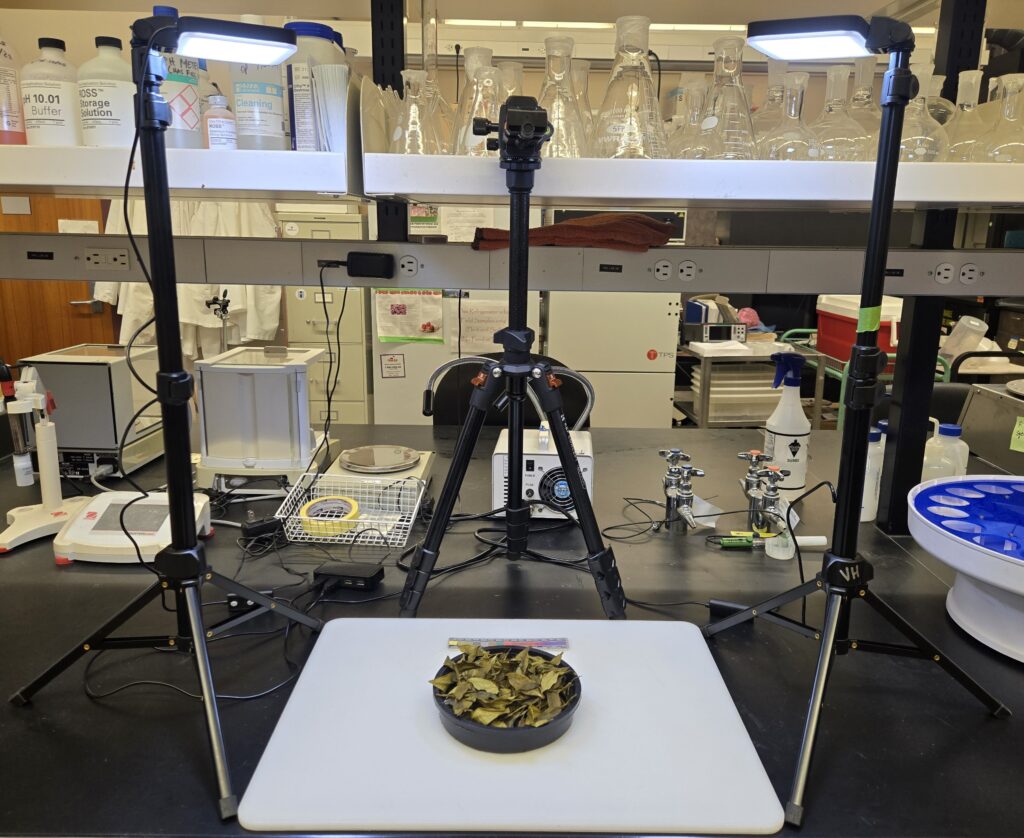
- Place the white background on a flat work surface.
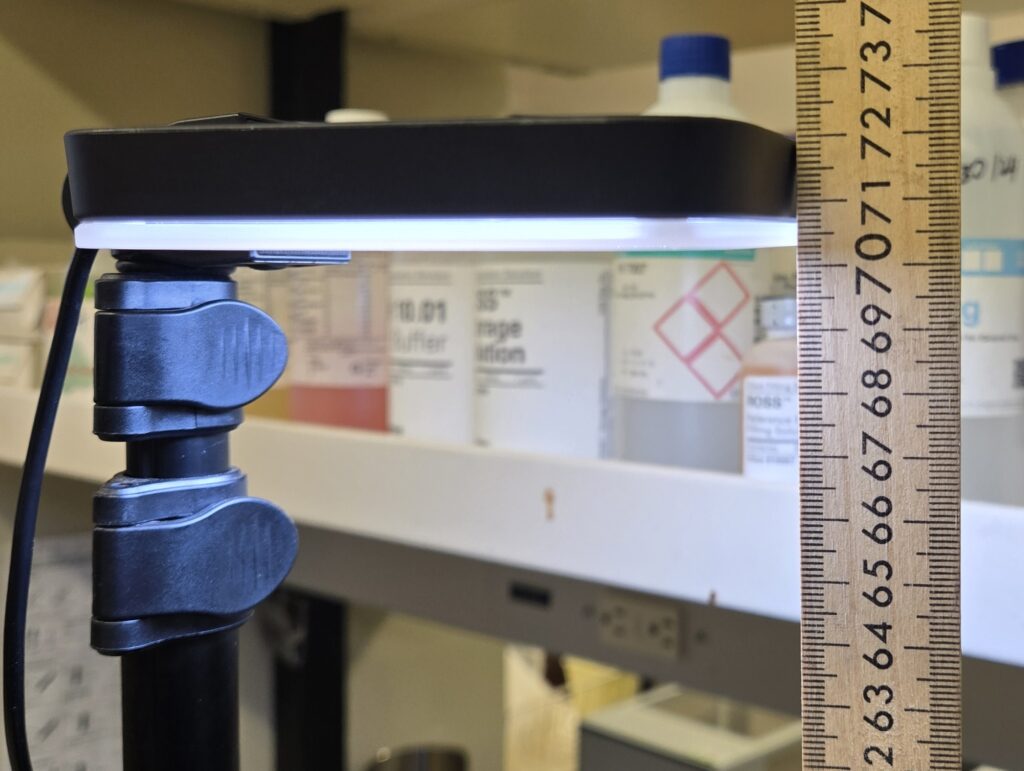
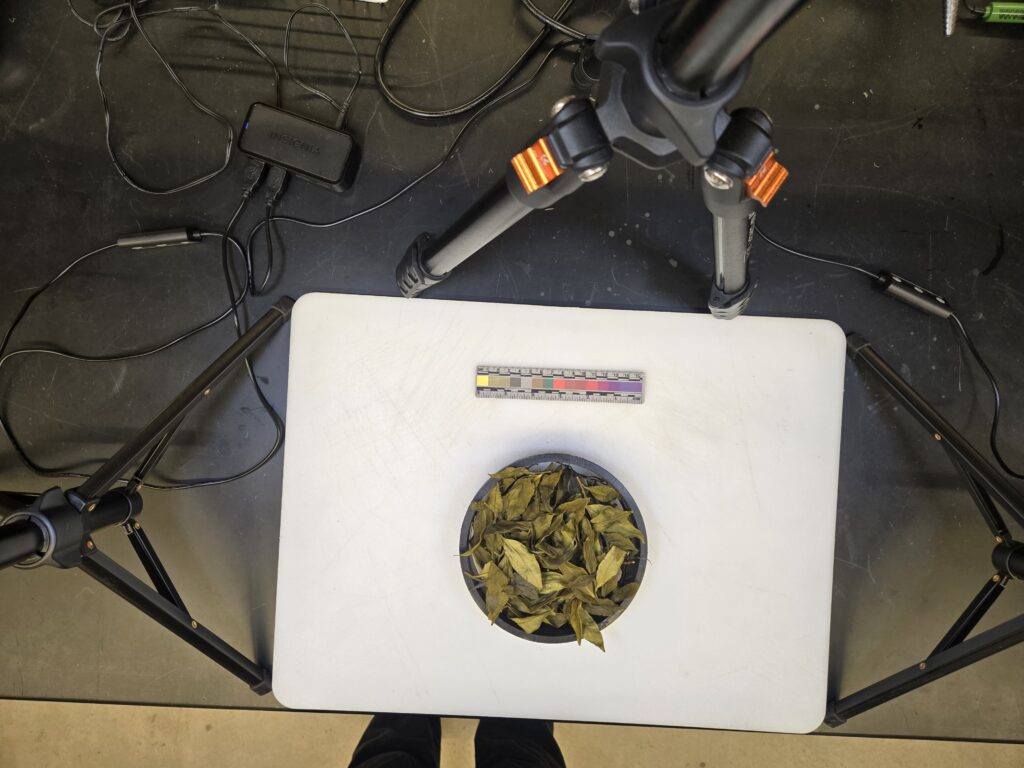
- Set up two lights on either side of the cutting board with the feet of the lights touching the sides of the cutting board, height 72 cm to the top of the light and an angle of 90 degrees (Fig. 1).
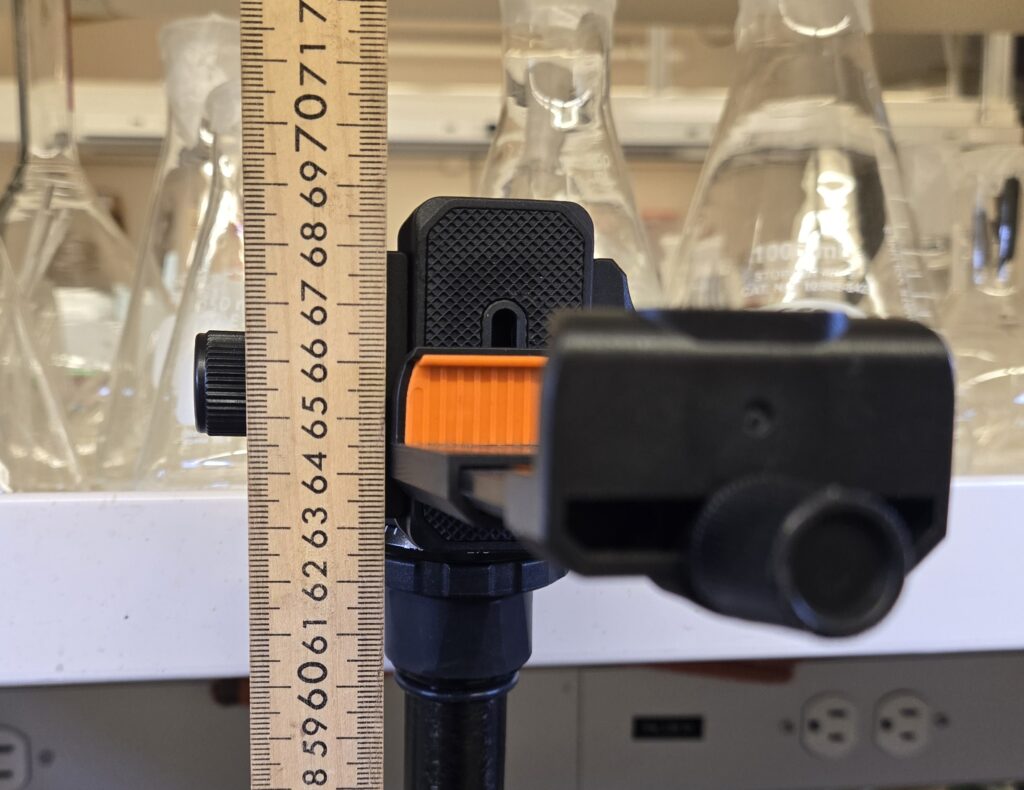
- Place tripod behind cutting board with two of the feet touching the cutting board; height 68 cm to the top of the tripod and 90 degree angle (Fig. 2).
- Place the color grading scale on the white background.
- Place circular frame on cutting board 4 cm from the color grading scale.
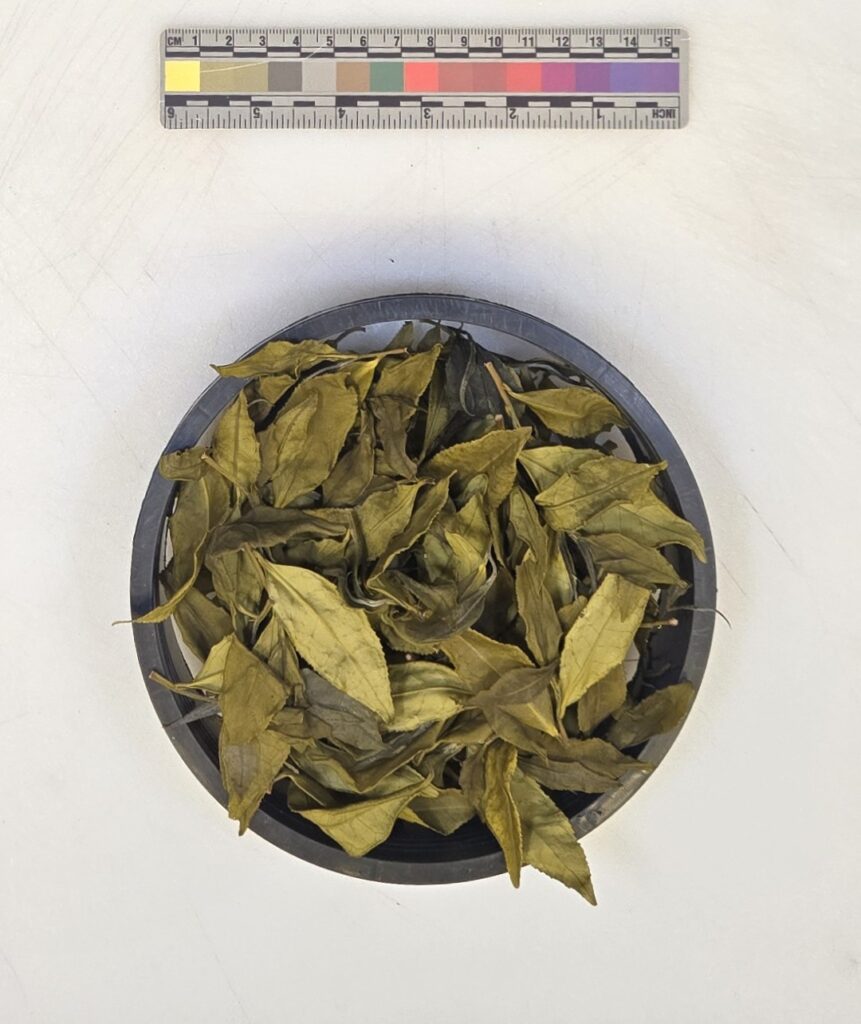
- Place tea leaves on cutting board within the circular frame, try to make a flat layer (Fig. 3).
- Take photo of whole leaves (Fig. 4).
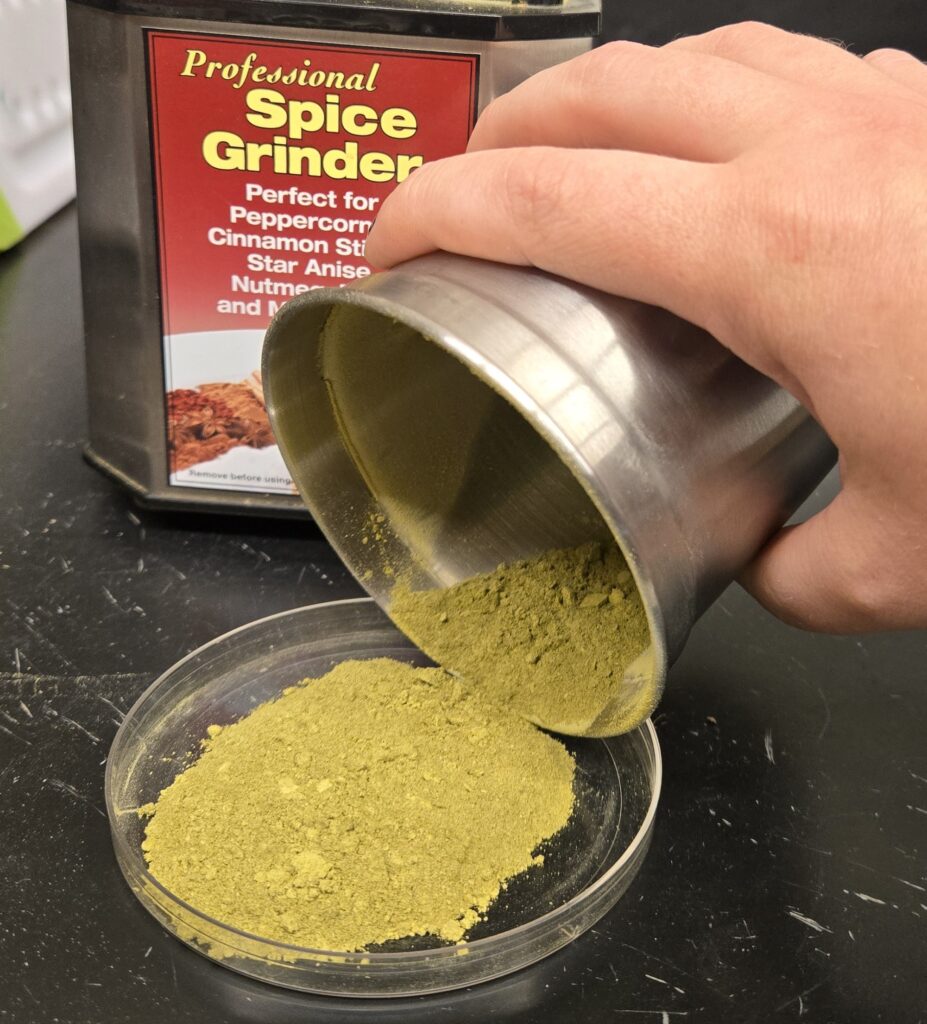
- Grind leaves into powder.
- Place the powder into the top of a petri dish (Fig. 5).
- Place the petri dish top onto the cutting board.
- Using the bottom of the petri dish, press the grounds into a flat layer (Fig. 6).
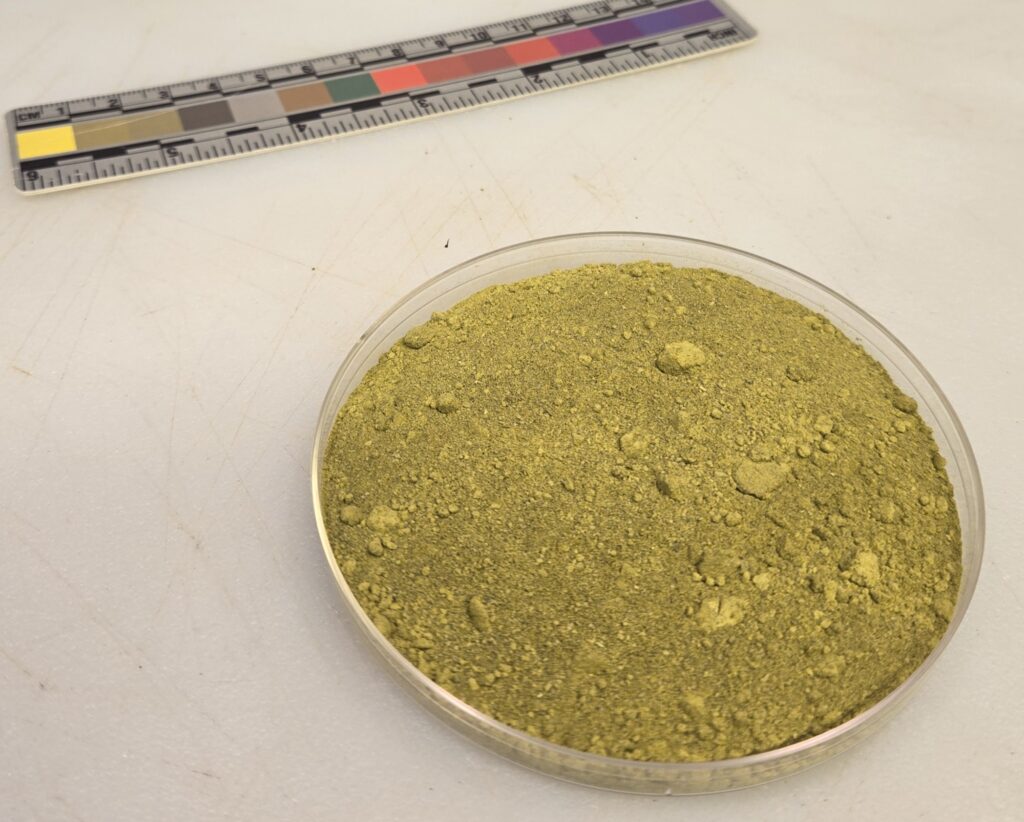
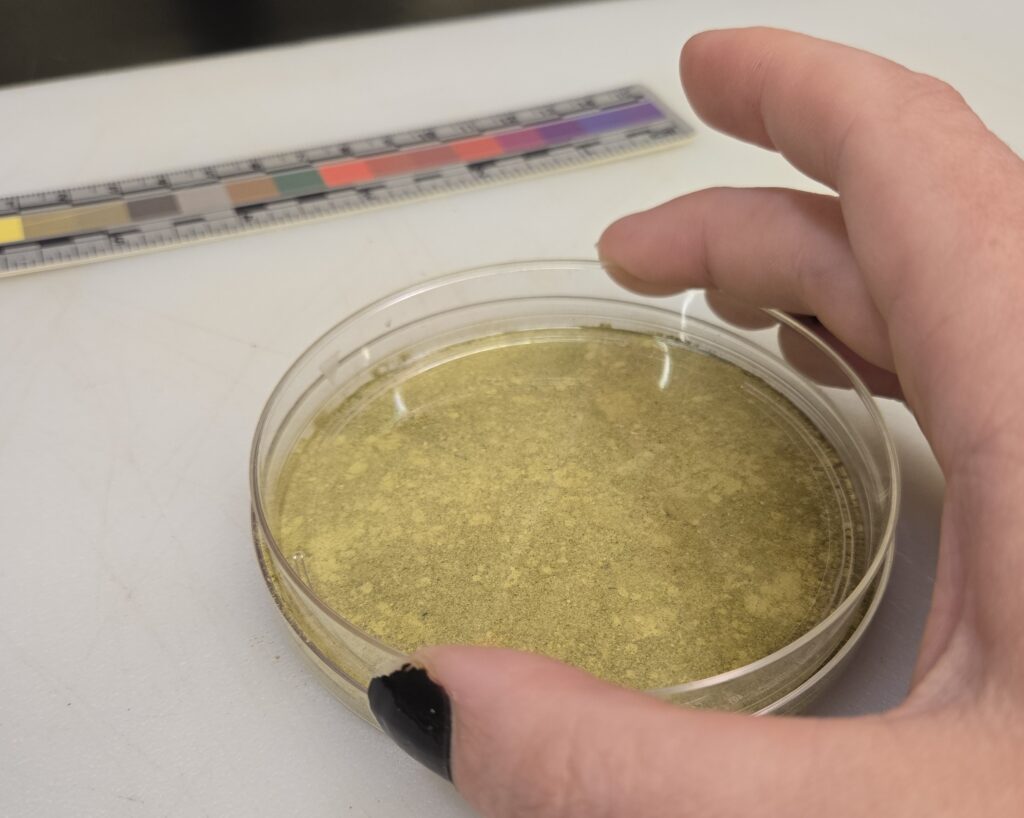
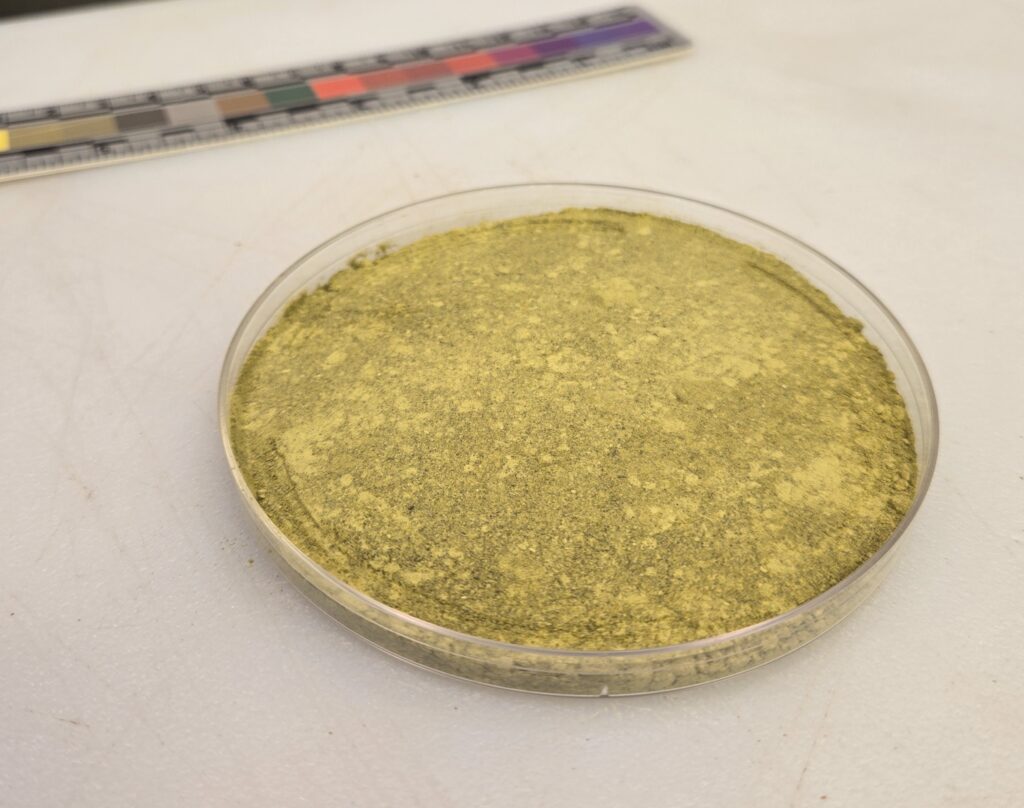
Figure 6. The process of pressing the ground tea leaves into a flat layer.
- Using the bottom of the petri dish, press the grounds into a flat layer.
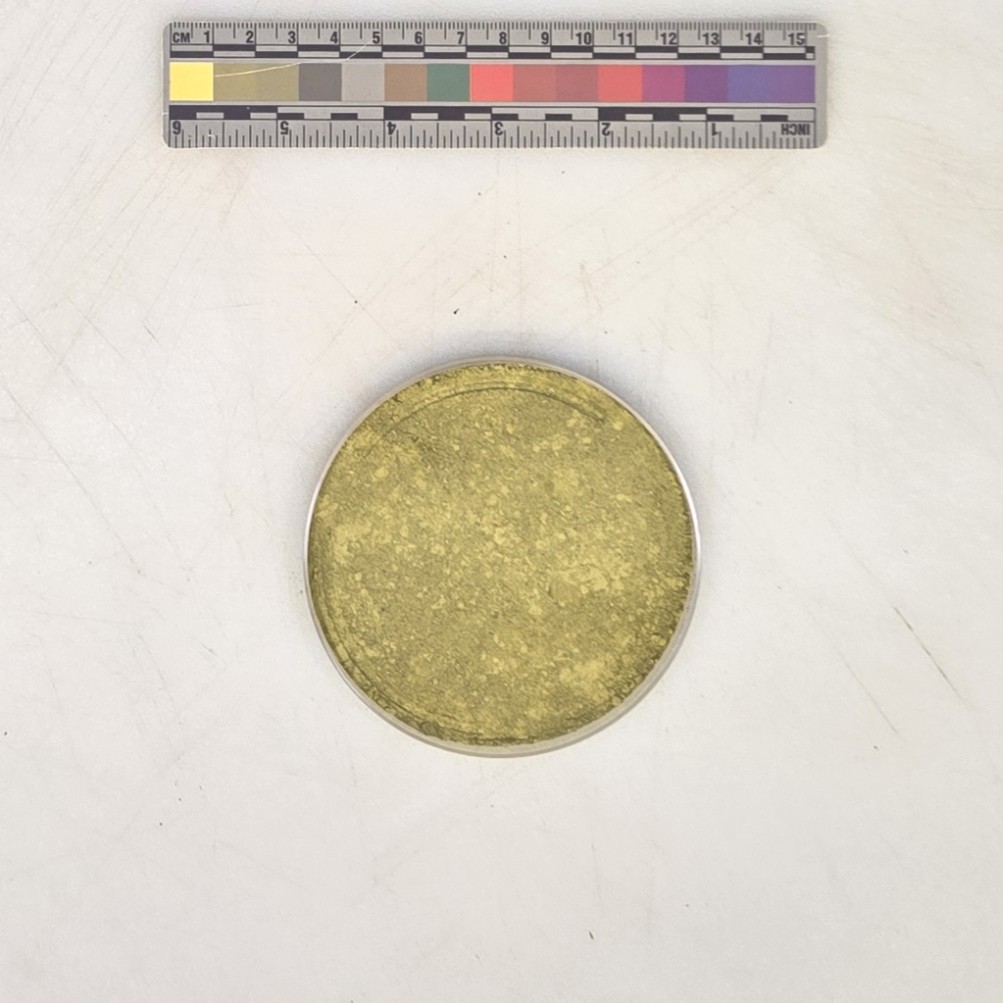
- Remove the petri dish bottom and take a photo of the grounds (Fig. 7).
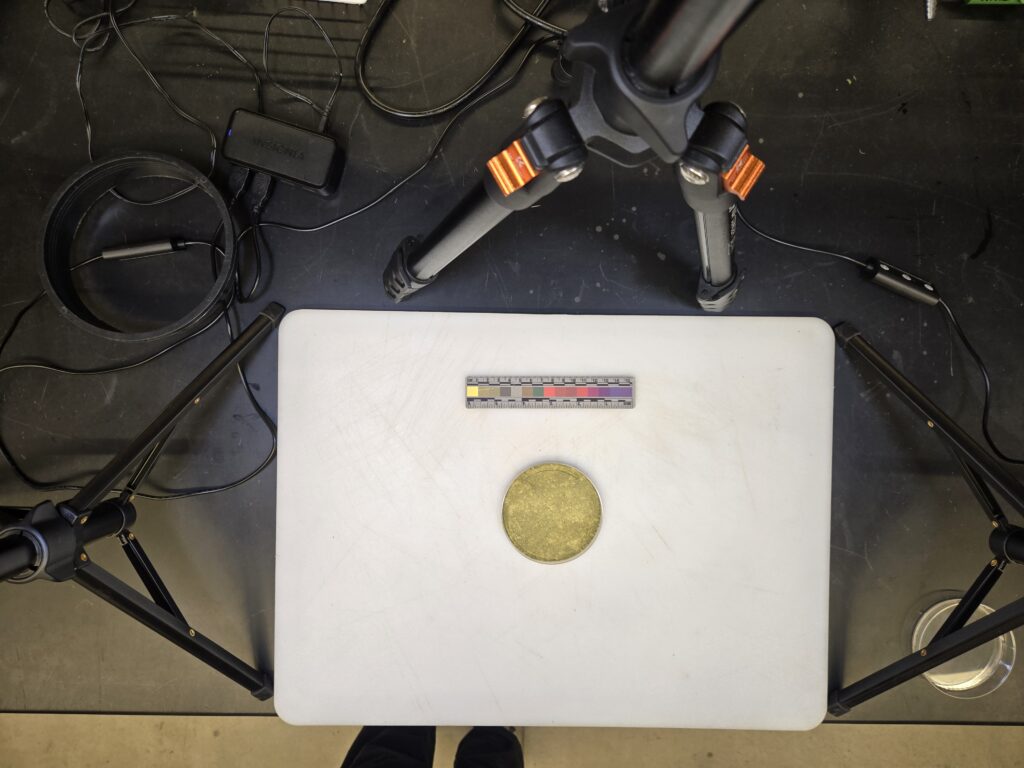
Image Analysis
- Upload photos to the computer.
- Download, rename photos using the following format: time_treatment_leaves_rep eg;
- 5min_soak_top3_rep3.jpg
- Crop photos (Fig. 8 and 9).
- Open your first photo in ImageJ by clicking on “File” –> “Open” and select the photo you want to start with.
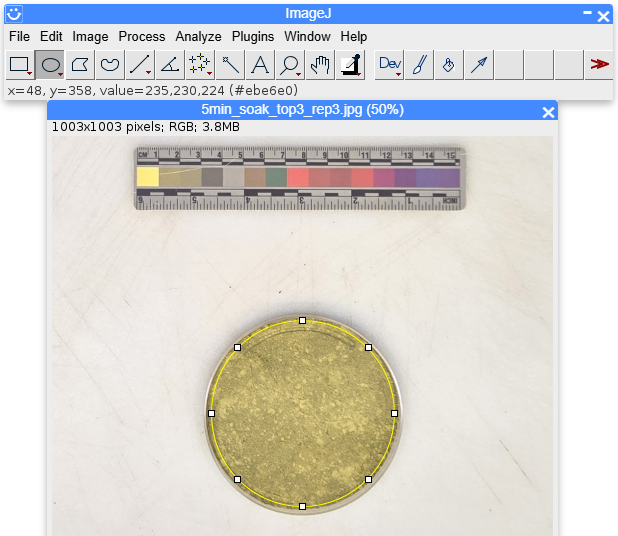
- Click on the circular selection tool and circle the grounds inside of the petri dish (Fig. 10).
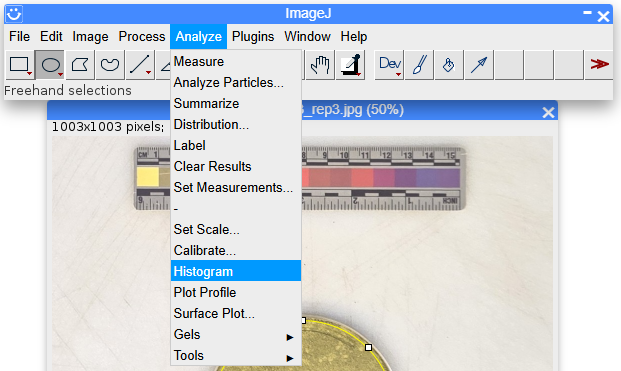
- Click “Analyze” -> “Histogram” (Fig. 11).
- Click “RGB” until the histogram is measuring green values (Fig. 12).
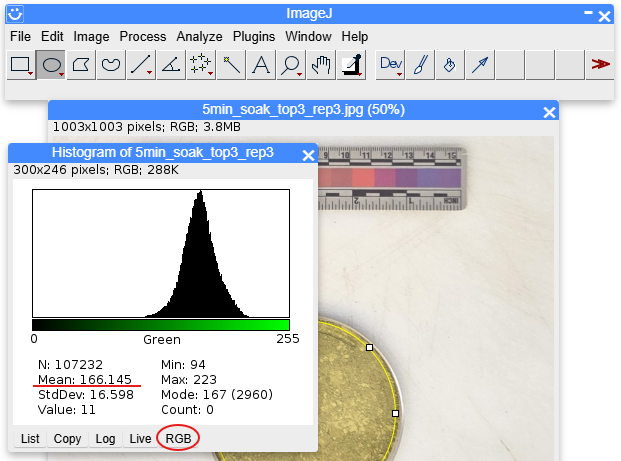
- Write down the mean value for the sample image, the higher the value the greener the sample.
- In this case the tea grounds mean value measured 166.145

The information in this publication is based upon work that is supported by the U.S. Department of Agriculture, National Institute of Food and Agriculture, under award number 2024-38640-42985 through the Western Sustainable Agriculture Research and Education Program under project number WPDP25-003, and Hatch Project WNP0010 Accession 7005372. Any opinions, findings, conclusions, or recommendations expressed in this publication are those of the author(s) and should not be construed to represent any official USDA or U.S. Government determination or policy, and are not meant to endorse any businesses or detract from any not listed.